
Training / Resort plan / Lesson 7 of 17
Maintenance and equipment
Anyone on the staff can report something broken. The maintenance team sees one list, with priorities, and nothing gets lost in a WhatsApp group.
- Modules
- M13 Maintenance and assets
- Who uses it
- Everyone raises jobs. Maintenance staff and the manager handle them
- Plan
- Resort plan
- Where
- Housekeeping › Maintenance
What it is for
A dripping tap reported in a chat group is forgotten by evening. The guest in that room complains, and later writes a review. A work order is a written repair job: what is wrong, where, how urgent, who is on it, and whether it is done.
Task 1: raise a work order
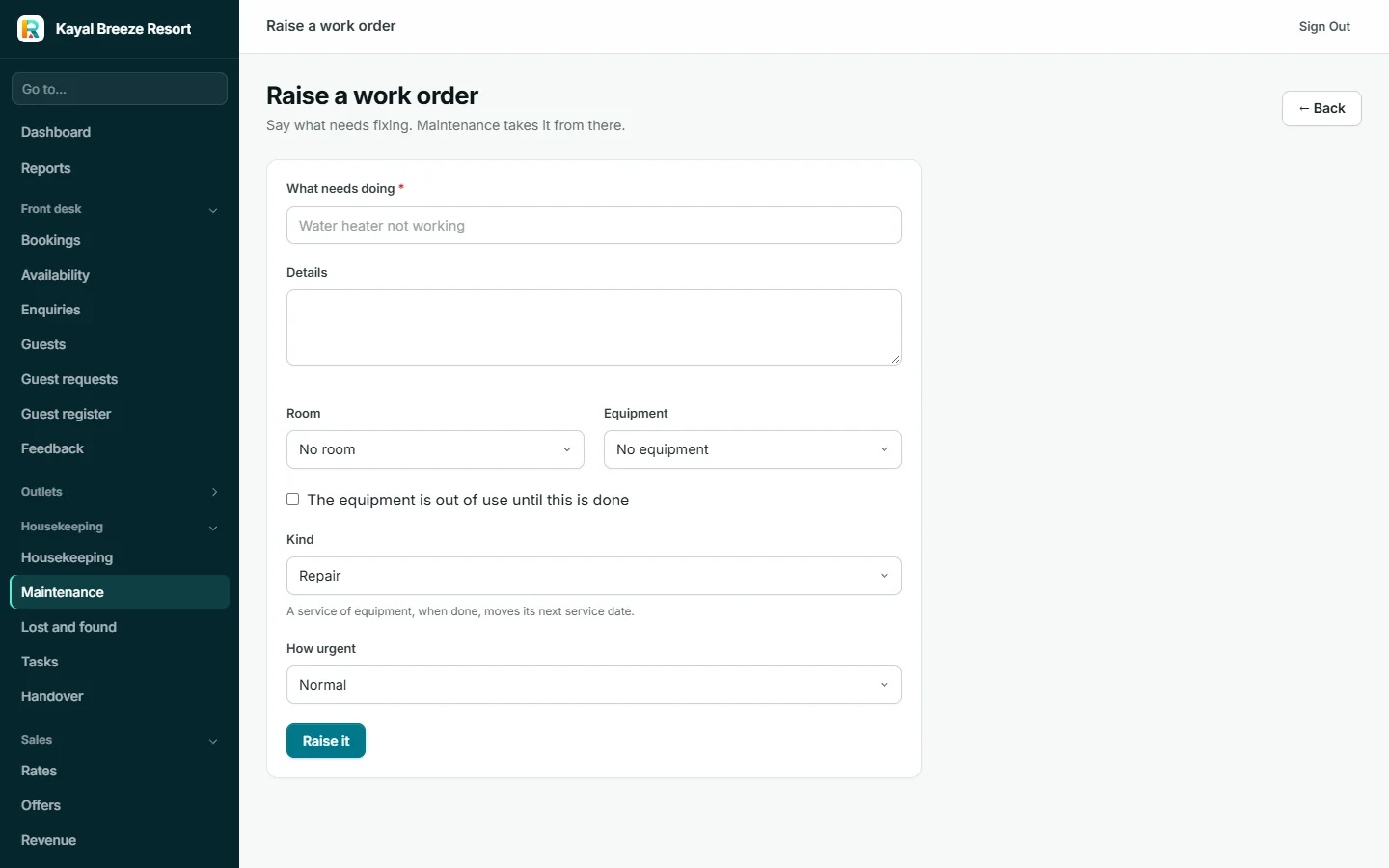
- Press Raise a work order Any staff member can.
- Say what needs doing and choose the room, or the piece of equipment.
- Choose the kind Repair, or Service (planned upkeep).
- Choose how urgent Low, Normal, High or Urgent.
A housekeeper who presses "needs maintenance" on a room, or a guest request about something broken, raises a work order the same way.
Task 2: handle it
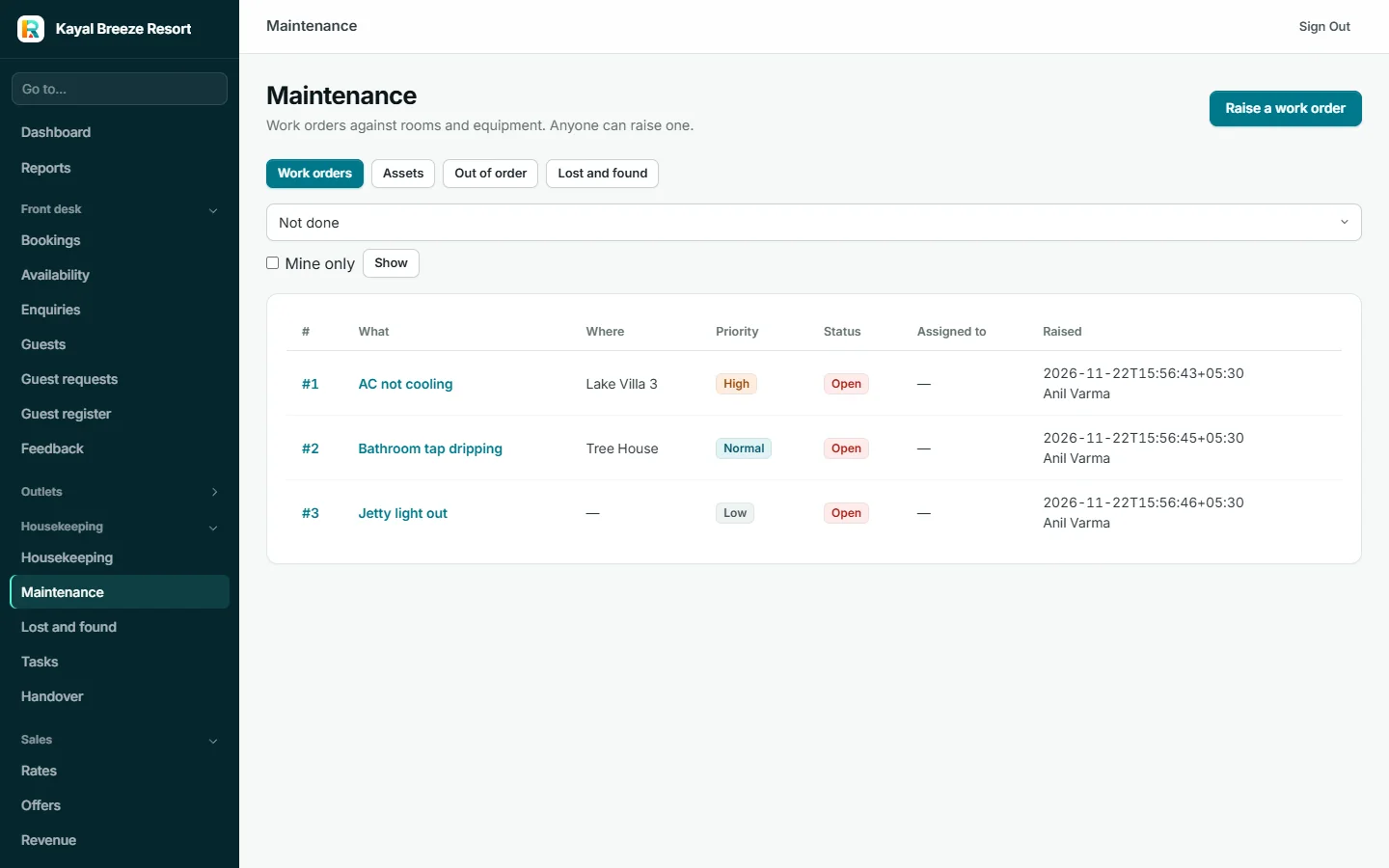
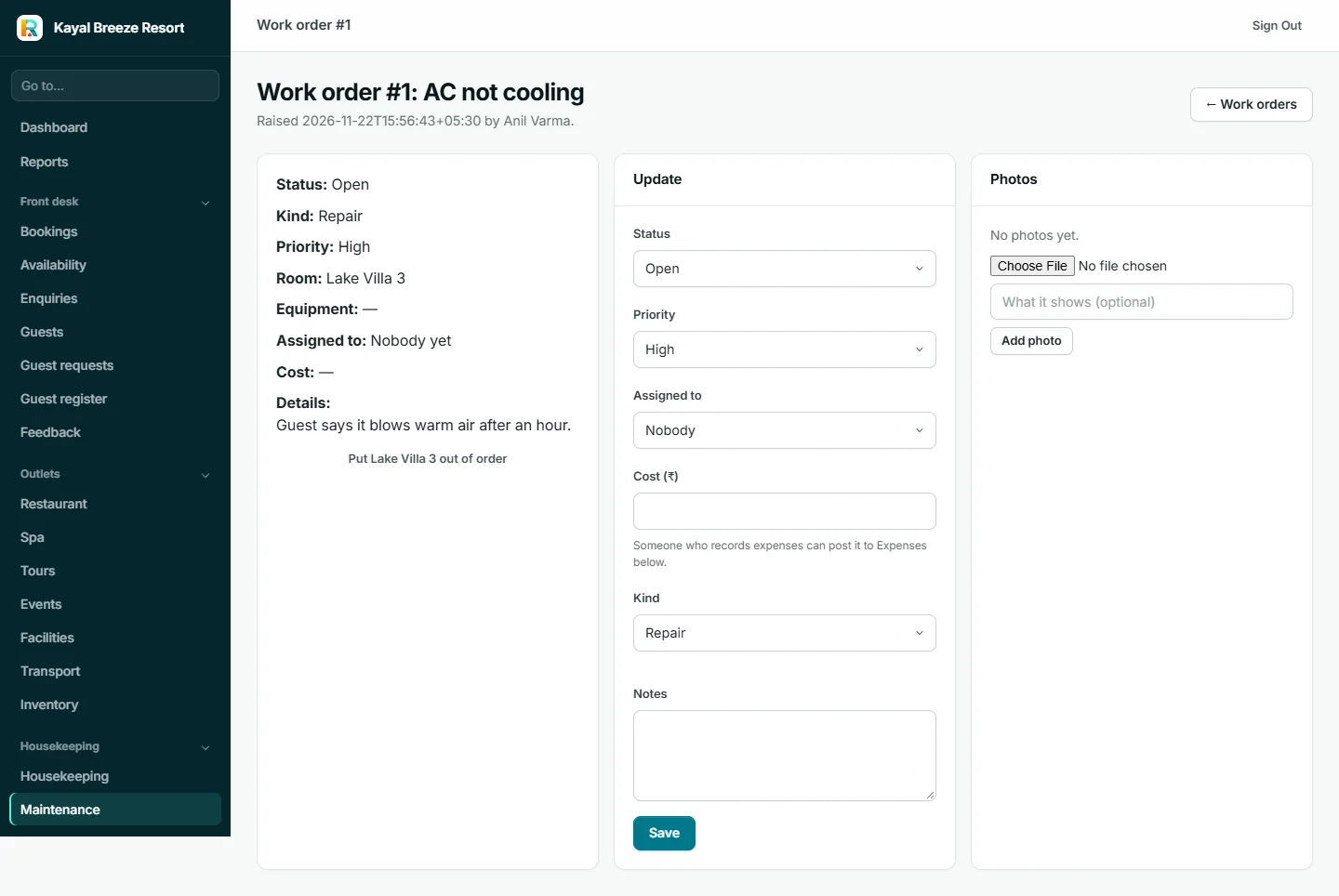
The maintenance lead assigns each job to a person and moves it through its states: Open, In progress, Waiting for parts, Done. They can record the cost and add photos. Someone with permission to record expenses can post the cost to Expenses in one click, so repairs show in the resort's spending without being typed twice.
Task 3: put a room out of order
If a room cannot be used, for example the AC has failed, press Put … out of order on the work order, or use the Out of order tab.

An out-of-order room cannot be sold by any booking screen, the website or the app. If guests are already booked into it for those dates, they are listed here so the front desk can move them. This is different from a block, which is a commercial choice; out of order means the room is not fit to sell.
Equipment and service dates
An asset is a piece of equipment the resort owns: the generator, pumps, air conditioners, boats, vehicles, water heaters, kitchen machines.
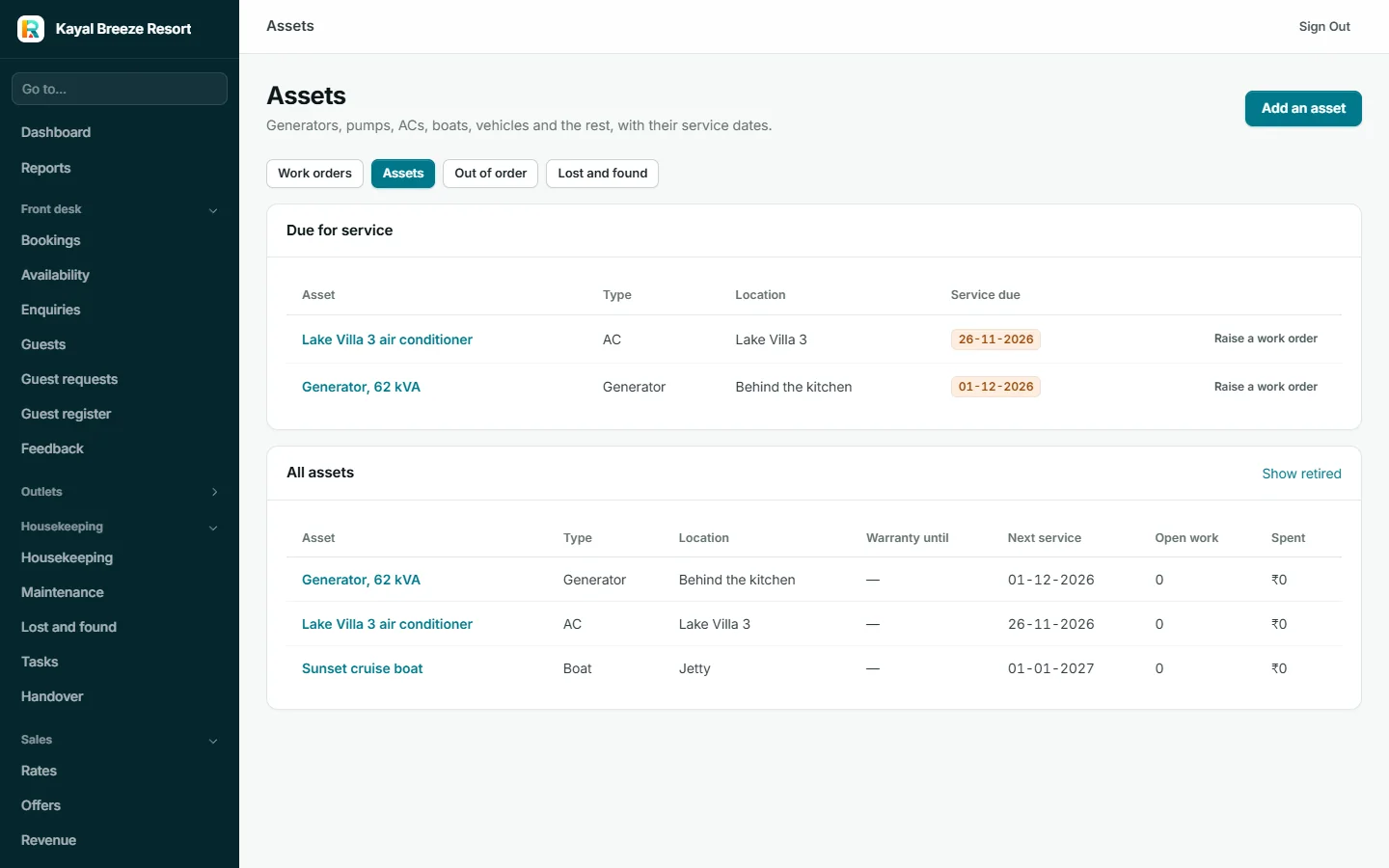
- Add each asset with its type, location, purchase and warranty dates.
- Set its next service date and how often For example, the generator every 90 days.
- Resortiqo raises the service job itself On the due date a Service work order appears. When it is marked Done, the next service date moves forward by itself.
Each asset's page shows its history of work orders and how long it was out of use, which helps an owner decide when to stop repairing something and replace it.
What it connects to
- Housekeepers report problems
- Guest requests can raise a job
- Out-of-order rooms leave availability
- Repair costs go to Expenses
Service jobs are raised by the scheduled job on the server, which Advertiqo sets up once per installation. Guests cannot raise a work order themselves from an app; that waits for the guest app.