
Training / Resort Pro plan / Lesson 8 of 12
Payroll
Monthly salary sheets worked out from attendance and leave, with the statutory deductions, payslips and a file for the bank. It is built, and it is locked until a professional has checked the rules.
- Modules
- M37 Payroll
- Who uses it
- Accountant, owner, a payroll professional
- Plan
- Resort Pro plan
- Where
- Team › Payroll
Payroll must not be sold or demonstrated as working. The deduction rules in it start as example values. They have not been checked against the law. Resortiqo will not let anyone approve a salary sheet until a payroll professional's review is recorded for that resort. Getting salaries or statutory deductions wrong harms real people and exposes the resort to penalties, so this lock is deliberate and should not be worked around.
What it is for
Paying staff correctly means counting the days each person worked, subtracting unpaid leave, and taking off the deductions the law requires. The main ones in India are:
| Short name | What it is |
|---|---|
| PF | Provident fund: retirement savings. The employee and the employer each pay a share |
| ESI | Employees' state insurance: health cover for lower-paid staff, again with two shares |
| PT | Professional tax: a small state tax on salaries. Each state has its own slabs |
| TDS | Income tax held back from higher salaries |
How it is meant to work
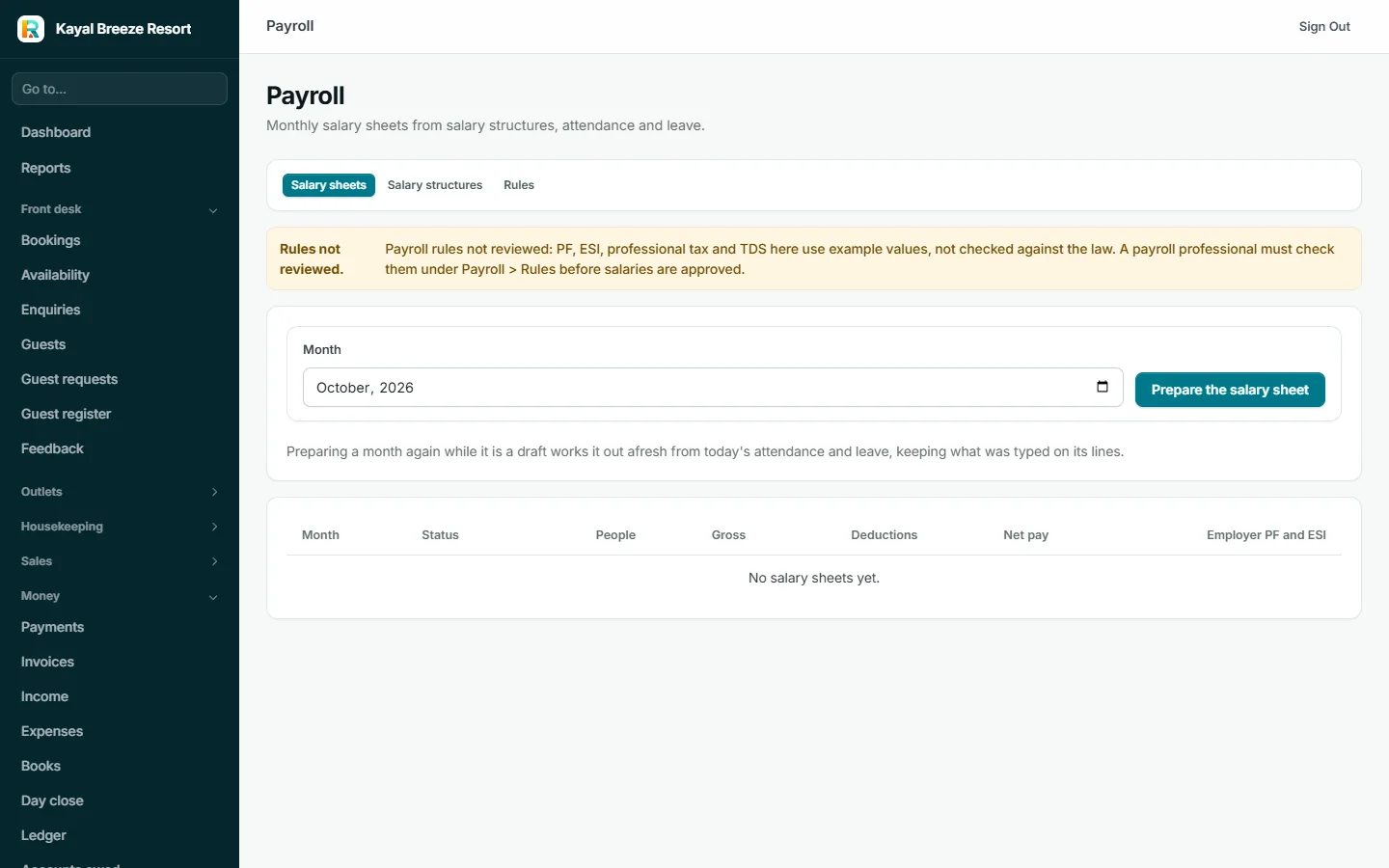
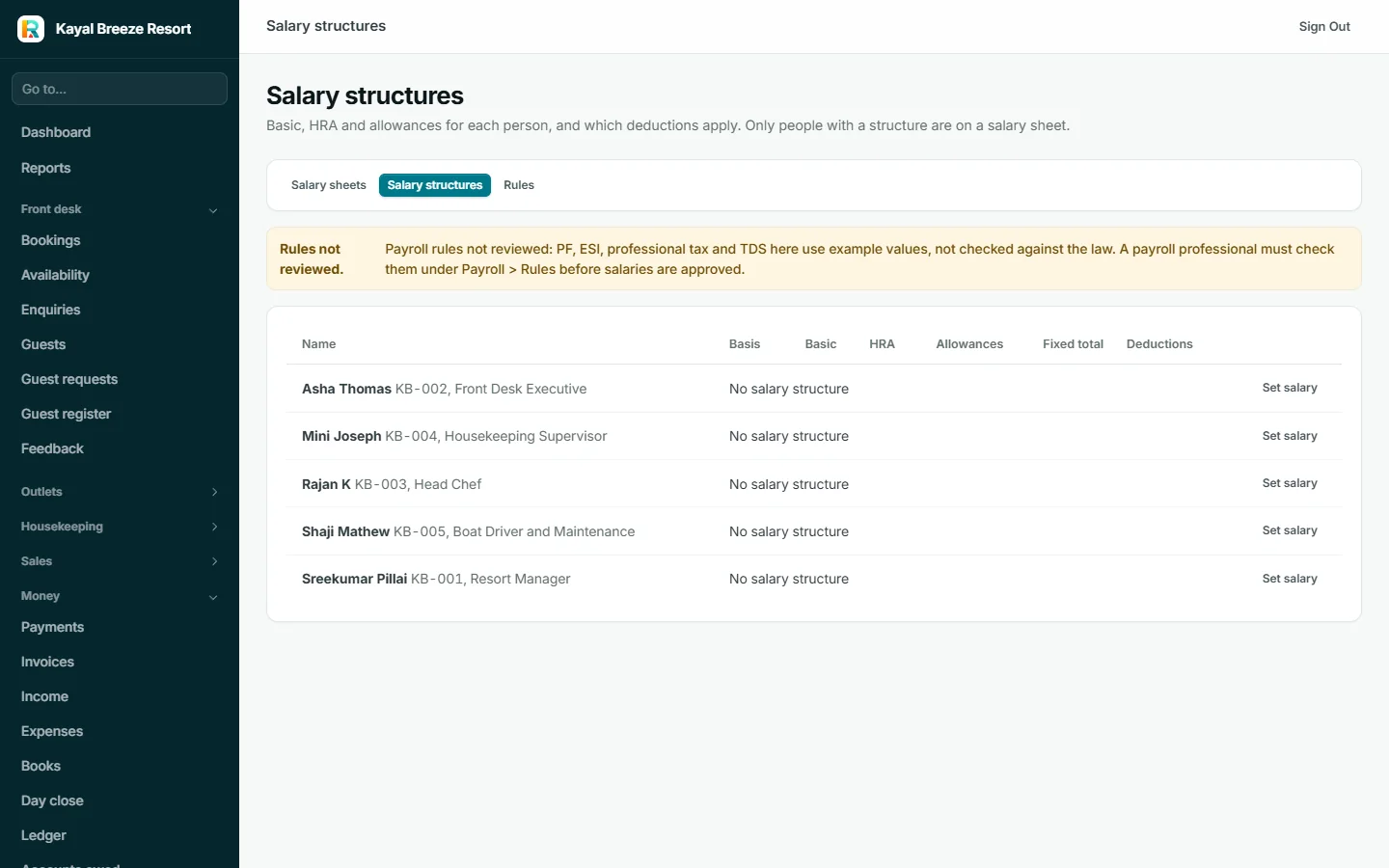
- Set each person's salary structure Basic pay, HRA (house rent allowance) and other allowances, and which deductions apply to them. Only people with a structure appear on a salary sheet.
- Prepare the month's salary sheet Resortiqo takes each person's structure, counts their days from attendance and leave, and works out gross pay, deductions and net pay.
- Review it as a draft Amounts can be adjusted by hand. Preparing again recalculates from today's attendance and keeps what was typed.
- Approve it This is the step that is locked.
- Pay and mark it paid Download the bank file to upload to the resort's bank for bulk transfer, and a payslip PDF for each person.
The rules, and the review
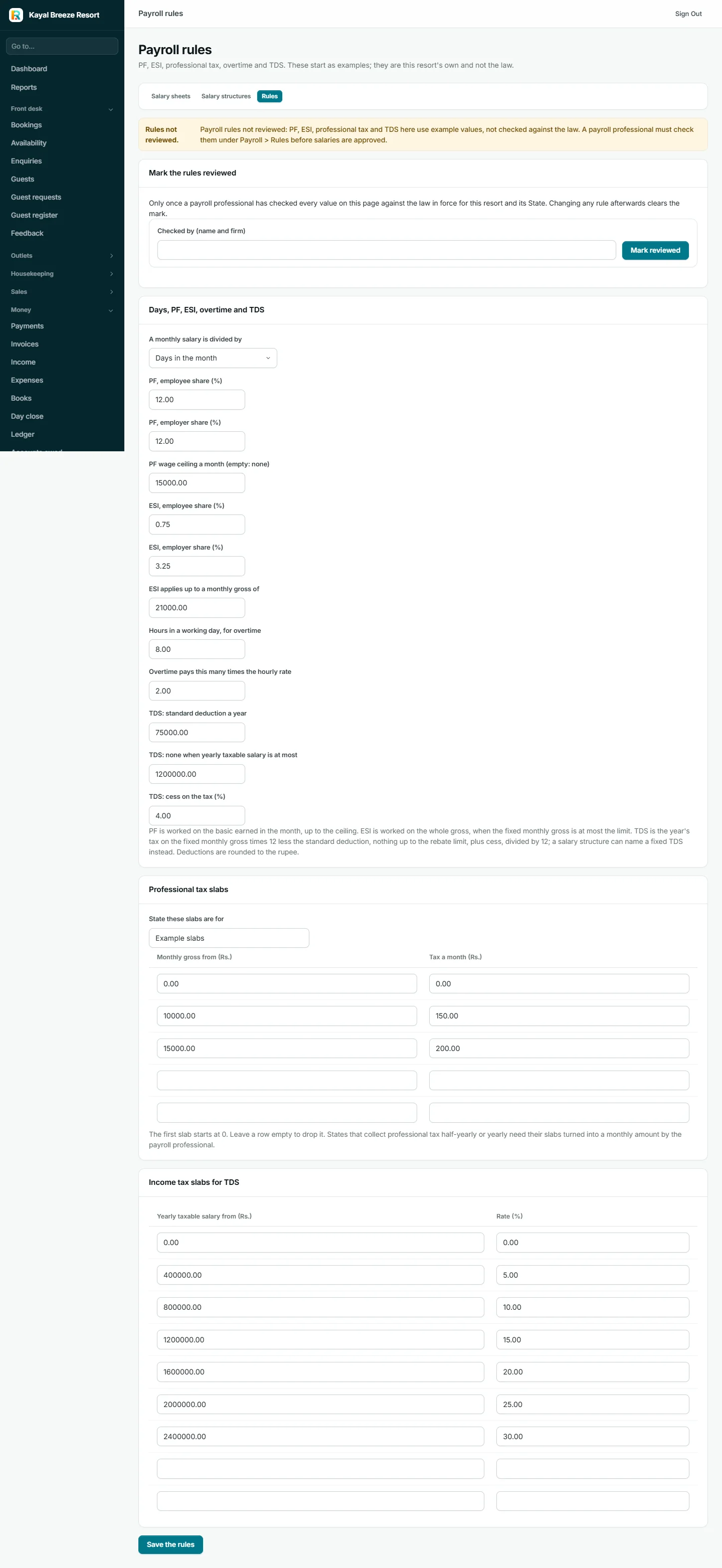
Every percentage, ceiling and slab is a setting that belongs to that resort. Nothing is fixed in the software, because the figures differ by state and change with each budget.
At the top of the Rules page is Mark the rules reviewed, with a box for the name and firm of the professional who checked them. Until that is filled in, salary sheets can be prepared and looked at but not approved. Changing any rule afterwards clears the mark, so a change always needs a fresh look.
Once it is on
An approved and paid salary sheet posts itself into the ledger: salary cost, the deductions owed to the government, and the payment from the bank.
What it connects to
- Salary and bank details come from staff records
- Days come from attendance and leave
- Salaries post to the ledger
The files and returns that go to the government: the PF return file (ECR), ESI and professional tax returns, and the yearly salary tax forms (Form 16 and 24Q). A resort would still need its payroll professional for those.
"Payroll is built into Resort Pro and is switched on after a payroll professional has checked the deduction rules for your state. We will not let it pay salaries on unchecked rules. Until then your attendance and leave records are ready for whoever does your salaries today."