
Training / Resort Pro plan / Lesson 10 of 12
Several properties
One owner, two or three sites. Each property has its own rooms, its own reports and, if needed, its own name and GST number on bills, while the owner sees everything together.
- Modules
- M58 Multi-property
- Who uses it
- Owners of more than one property
- Plan
- Resort Pro plan
- Where
- Setup › Properties
What it is for
An owner with a lakeside resort and a hill homestay does not want two systems and two sign-ins. They want one dashboard that adds both up, and the ability to look at each on its own.
In Resortiqo a resort is one customer of ours: one account, one bill from Advertiqo. A property is one site or building inside that resort. Stay and Resort allow one property. Resort Pro allows three. Two businesses with different owners are two resorts, not two properties.
What each property has of its own
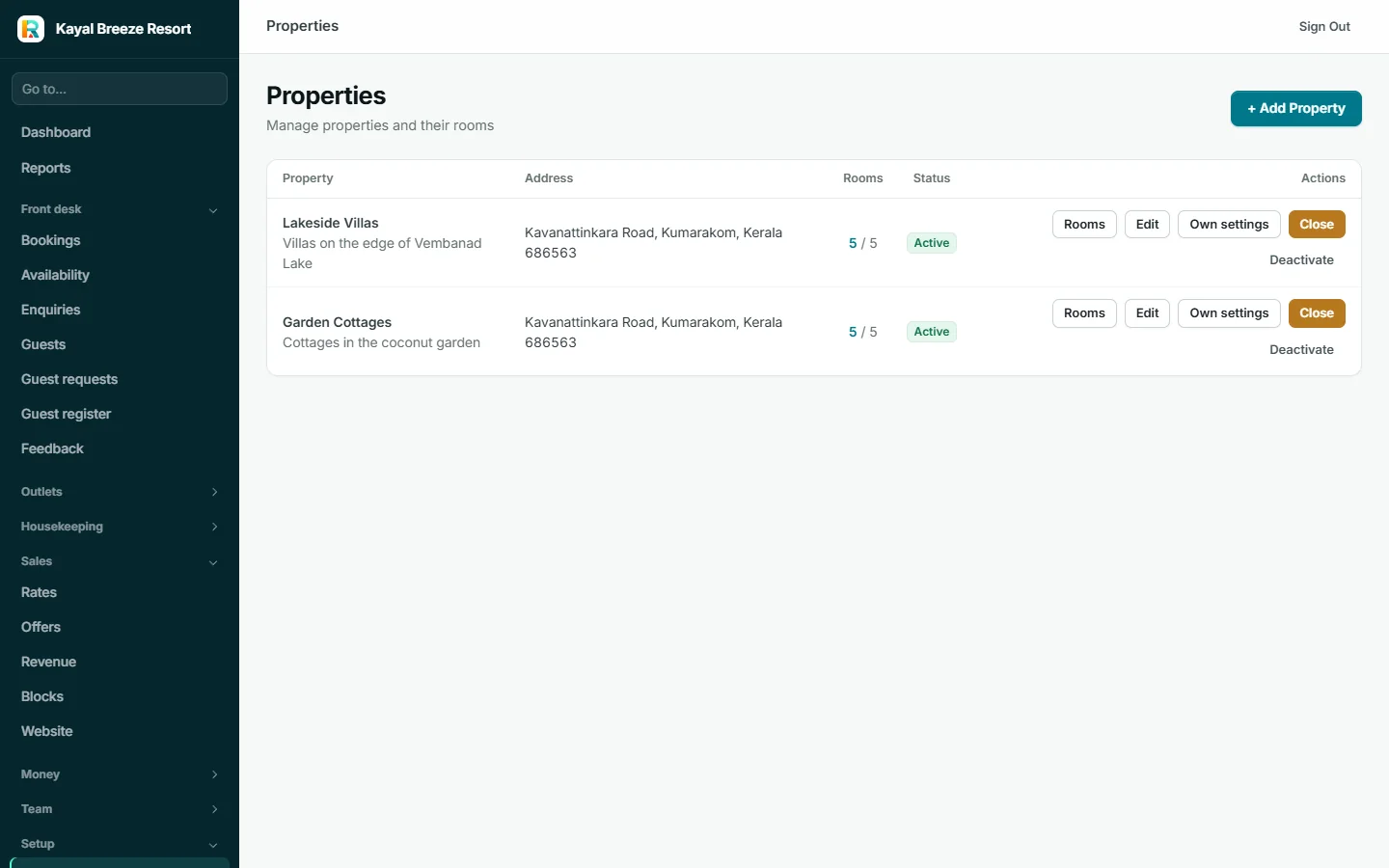
- Rooms, and closures. A whole property can be closed for dates, for example a hill property in the monsoon.
- Reports. The dashboard, sales, occupancy and books can all be filtered to one property.
- Its own details on bills. See below.
Own settings for a property

For each property the owner can fill in only what is different:
- Name, address, phone and email printed on its invoices and receipts
- GSTIN and legal name, when that property is registered for GST separately, for example because it is in another state
- Check-in and check-out times
- A prefix for its document numbers, so its invoices are numbered in their own series
Limiting people to a property
A staff member can be limited to some properties. The front desk at the hill homestay then sees only that property's bookings, guests, calendar, payments, invoices and reports. Whole-resort screens are closed to them. The owner and managers see everything.
What it connects to
- Rooms belong to a property
- A property's own GSTIN goes on its invoices
- A property can be managed for its owner
- Reports filter by property
Properties share one restaurant set-up, one set of bank accounts and one stock. Outlets, bank accounts and expenses cannot yet be kept strictly per property. GST returns are not split by GSTIN, so a resort whose properties have different GST registrations still needs its CA to separate them. Budgets are for the whole resort.
The setting for a separate GSTIN says "Ask your CA before setting it". Repeat that to the customer.
The plan limit counts properties switched on. In the console's billing page for the practice resort you will see "2 of 1 properties", because the sample resort has two properties and was given a Resort plan. A limit never switches off what is already on; it only stops a new one being added.